

Get Your Game Face On!
With recommendation 'Blurbs'

I won’t sugar coat this topic. If your recommendations of others, or theirs of you, do not include blurbs, they are grossly missing the potential mark.
Today’s post is for users of Substack who are serious about building a sustainable, shared, supportive community here, which is essential to overall success within the latest ‘social media’ iteration of this platform. If you already have a flourishing, cross-pollinating community, then adding blurbs can measurably level up your shared power - by 3 - 5 times!
***This post is too long to view in email. Use this link to view at your leisure on my website. This post will be pinned to the top.****
Bren’s Buzz | Cori Bren | Substack
Tutorials rock, but lots of images are required.
What the heck are blurbs?
Blurbs are a candid sentence or two about why you recommend a substacker. Without a blurb, their stack appears as a title in the list of all the newsletters you recommend, which is presented during the subscriber flow for your newsletter. With blurbs, a tiny billboard appears along with the name of their newsletter, making the entire experience much more personal and, as it turns out, considerably more successful.
Sample of one of my blurbs
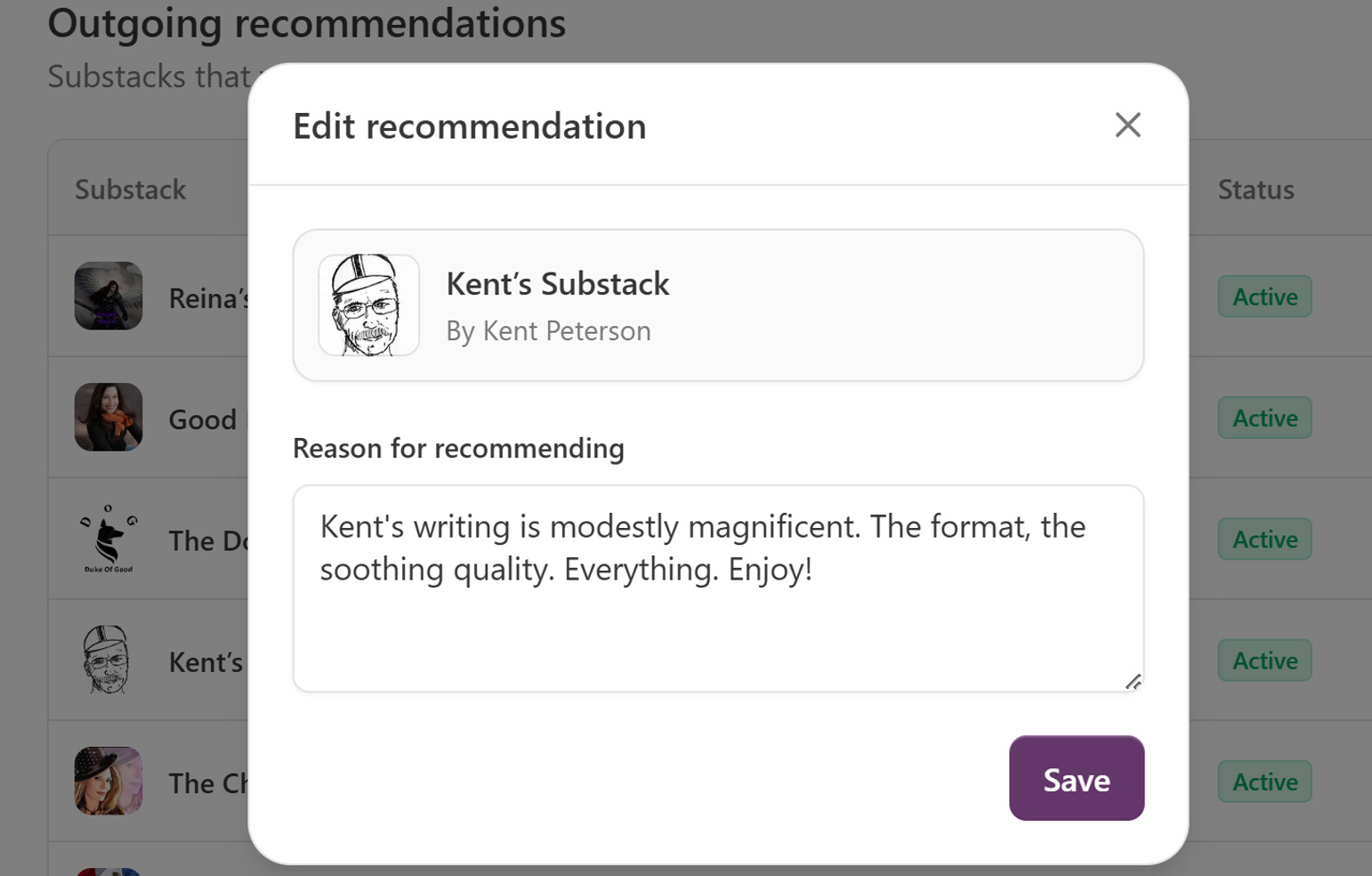
What our Substack recommendations environment looks like
Go to your Substack site - Dashboard - Recommendations
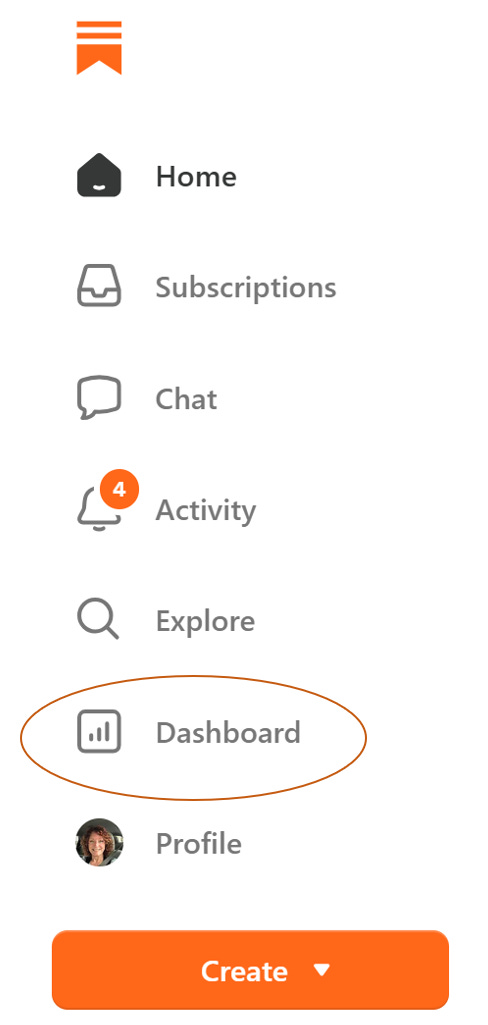
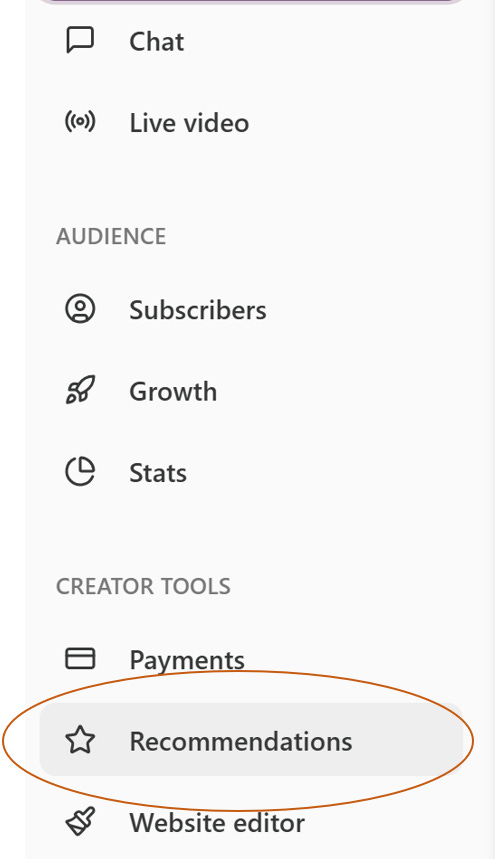
Scroll down on the left tool bar and choose Recommendations
✨Here’s the magic✨
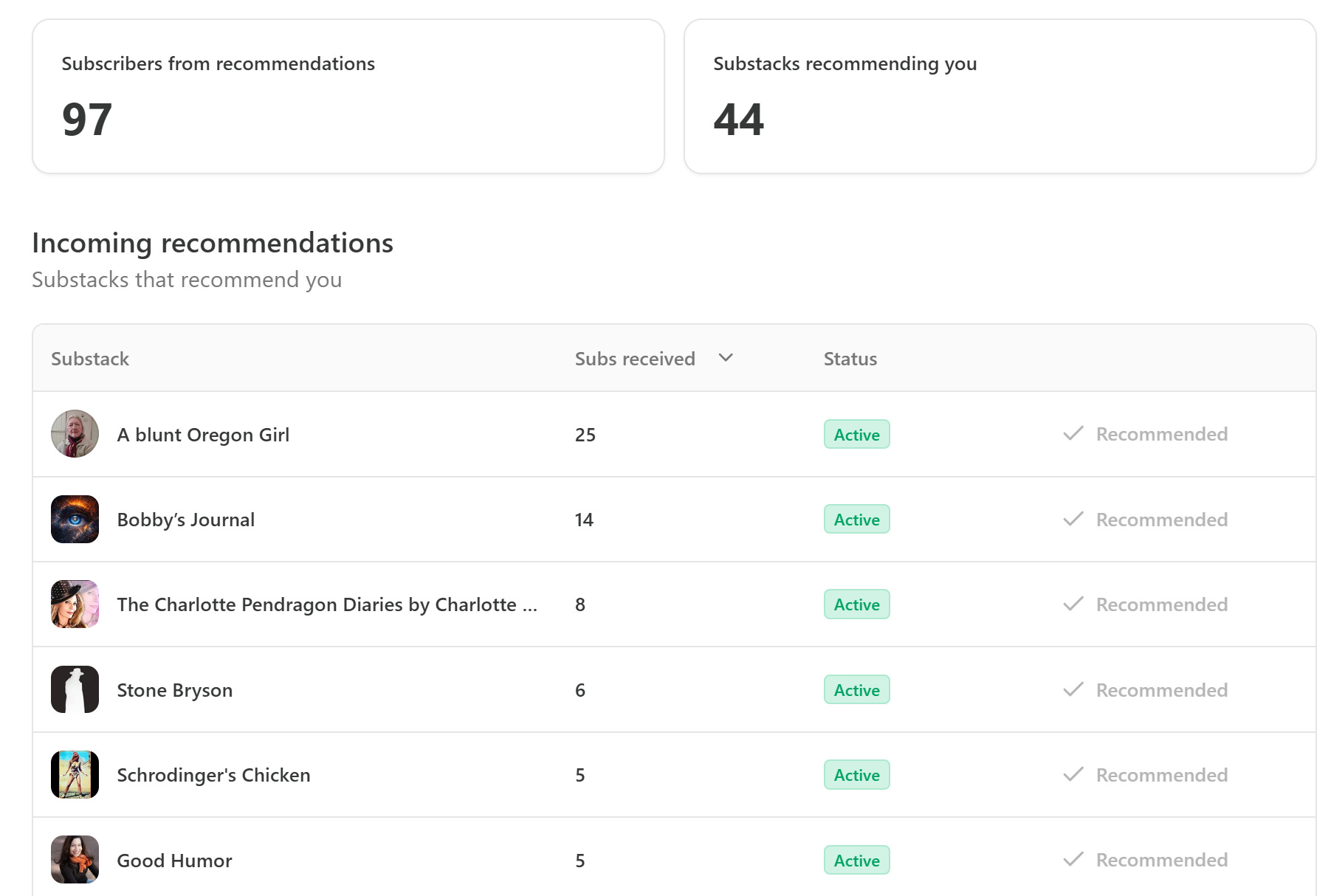
All about those who recommend me:
44 recommend me, 10 of whom use blurbs (23%)
97 subscribers to me, 51 without blurbs, 46 with blurbs (47%)
1.5 subscribers per reco without blurbs, 4.6 per recommendations with blurbs
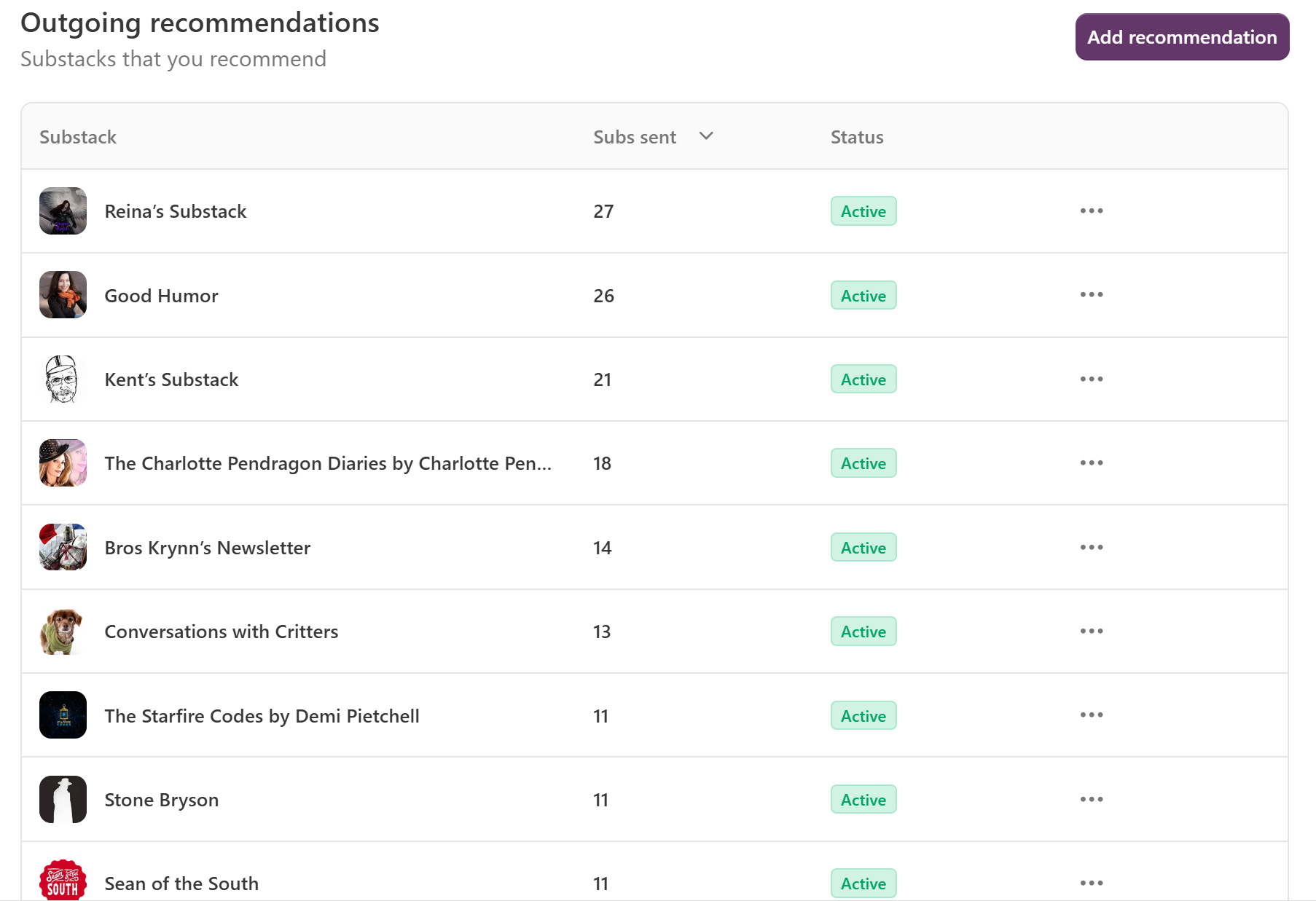
All about those I recommend:
36 I recommend, all 36 with blurbs (100%)
289 subscribers they received from my recommendations with blurbs
8 subscribers per blurby recommendation from me
3x the incoming subscribers, from recommenders who wrote a blurb about me.
5x the subscribers sent by me, from my recommendations with blurbs.
The bottom line
Blurbs increase community subscriber shares by 300% to 500%. By any standards, that’s remarkable!
Did you know that hitting the ❤️ icon above or below, and sharing this post shows your appreciation for Bren’s Buzz?
Woo-wee. If anyone in your SS community doesn’t know about this, get this magic trick over to them right away!
One bonus benefit
You can, and should add up to 3 blurbs to your Welcome page, where they’ll look like testimonials. It’s the easiest advertising you will ever receive and it’s written for you by a subscriber, and takes only 30 seconds for you to set up. If your recommenders have not written a blurb, DM them showing them the blurb you wrote for them and asking them if they’d please write one for you.
Scroll to the bottom of the lists of Incoming, Outgoing, and Suggested recommendations to see this little gem. Click Manage.
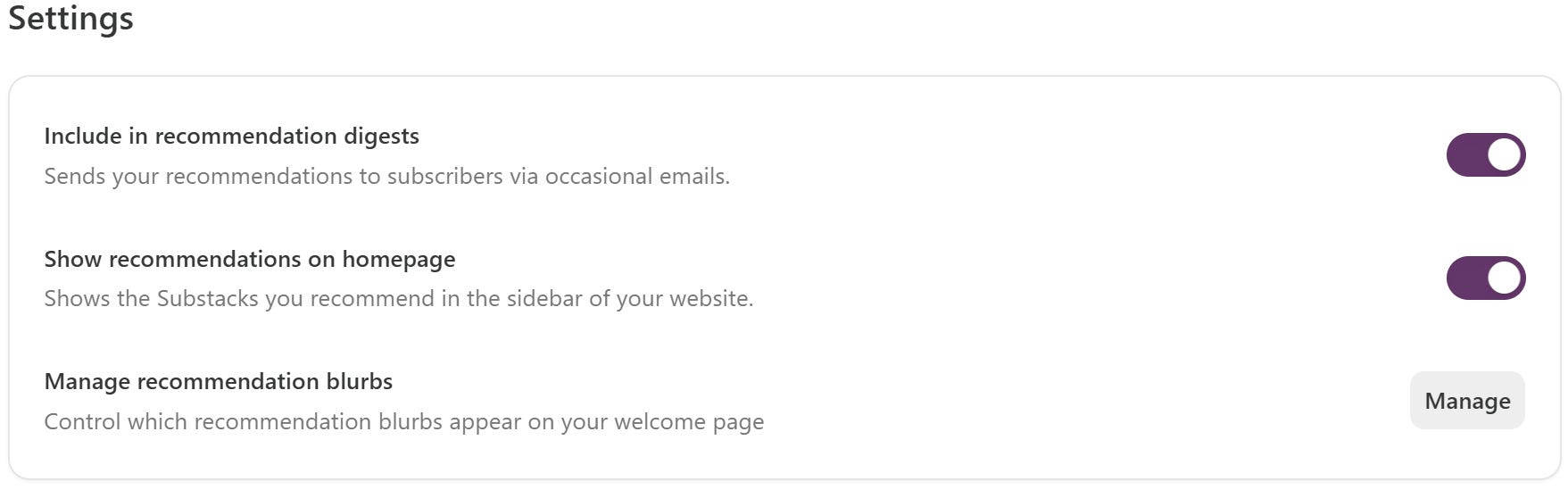
**Please note - you turn on the first 2 toggles in this section to show on recommendation digests and display recommendations (testimonials) on your Welcome page.
Here’s what you see (if you have anyone recommending you with blurbs). The ones that show “Active” are currently on my Welcome page.
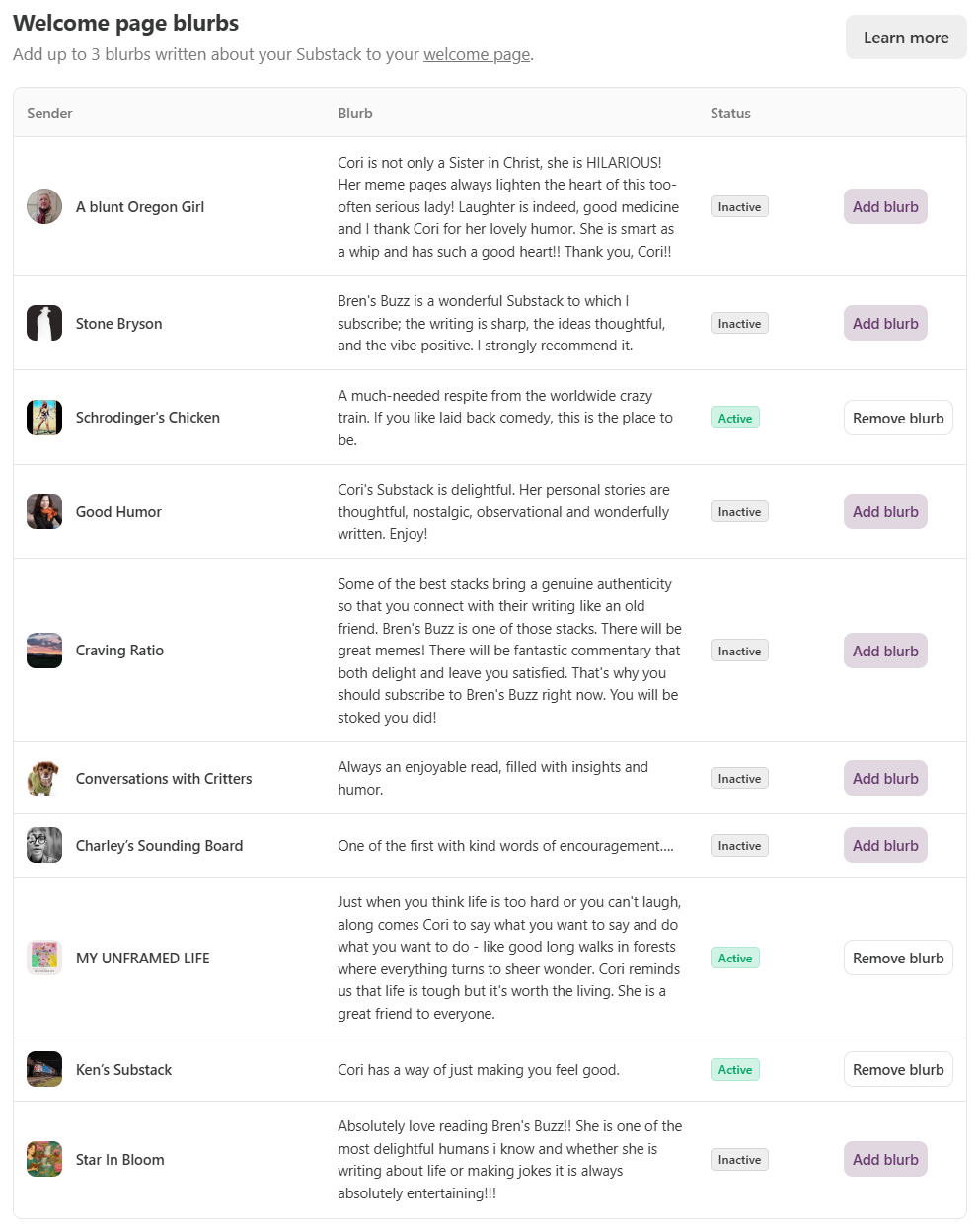
To add a different blurb, first ‘Remove blurb’ on one or more that say Active, and add the ones you prefer, up to 3 total. I change mine up periodically.
Here are my wonderful ‘testimonials’ from kind blurbs by Deborah T. Hewitt and Ken Macko and Phil O'Reilly (aka Qntmchckn).
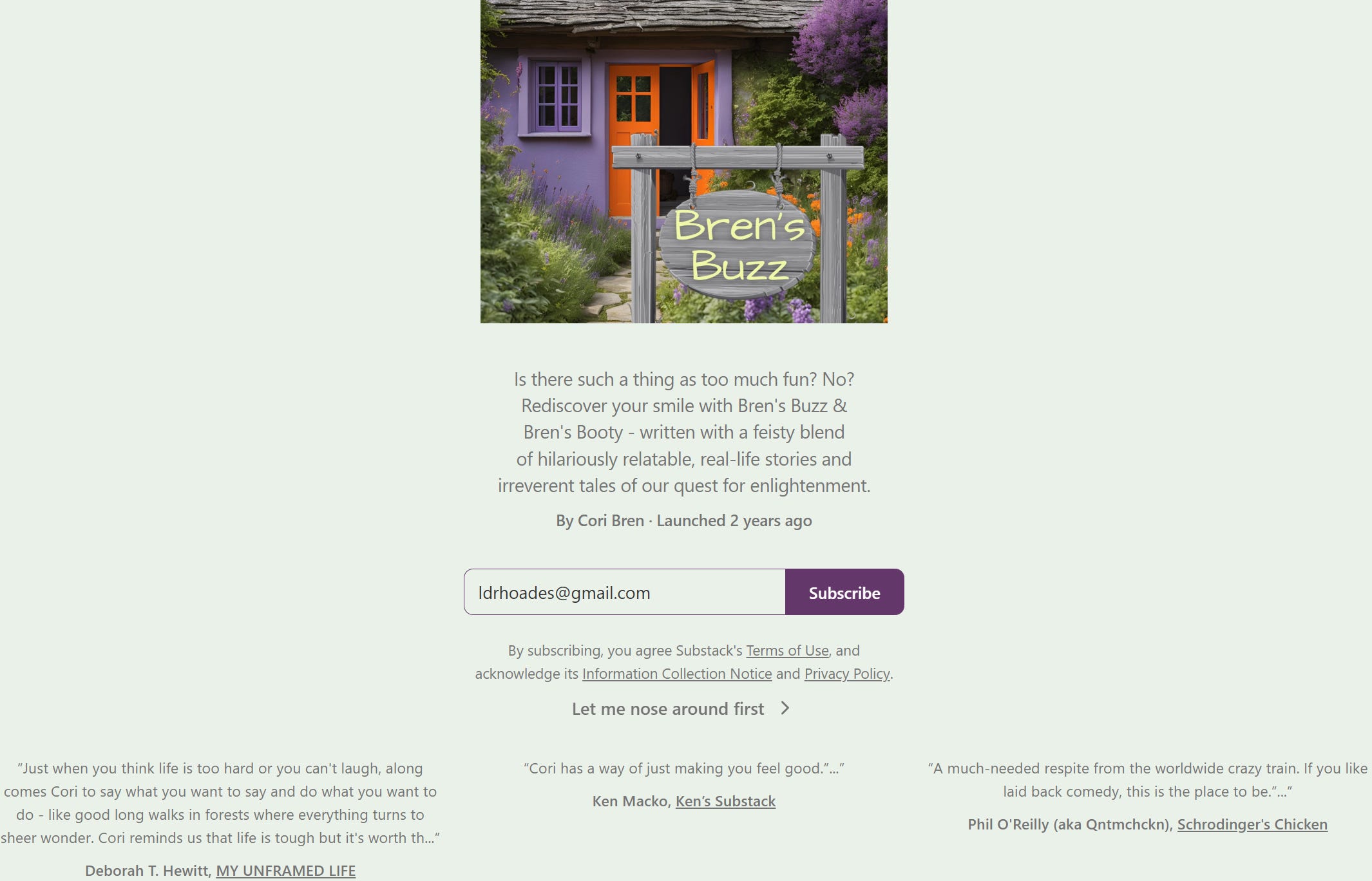
I LOVE and THANK everyone who recommends Bren’s Buzz and even more so, those who include a blurb. I cannot imagine where I’d be without you all or if the other 34 incoming recommenders added blurbs🤷♀️.
Although the magic show is over, below is your quick ‘how to blurb’ tutorial.
In case you missed it, you can easily ID which posts you want to read because I change my email header for nature vs memes vs features vs substack how-to. What can I say? I don’t believe in wasting people’s time. Rock on!
How to get in on this hidden treasure
Go into the Recommendations flow as described above. Then scroll down to Outgoing Recommendations and choose Add recommendation.
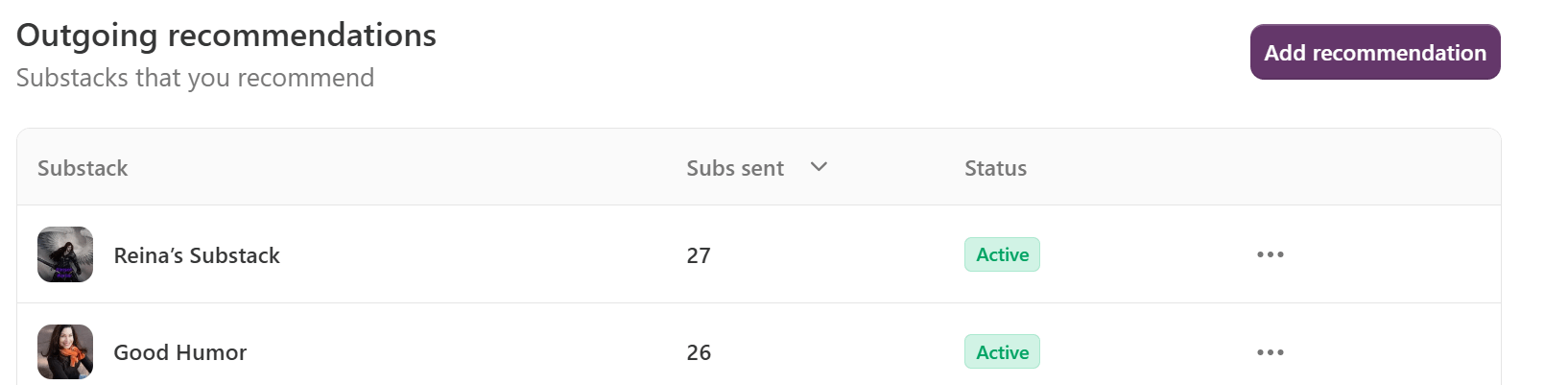
If you wish to add a blurb, click the ‘…’ to the right of each recommendation you’ve added and click Edit.
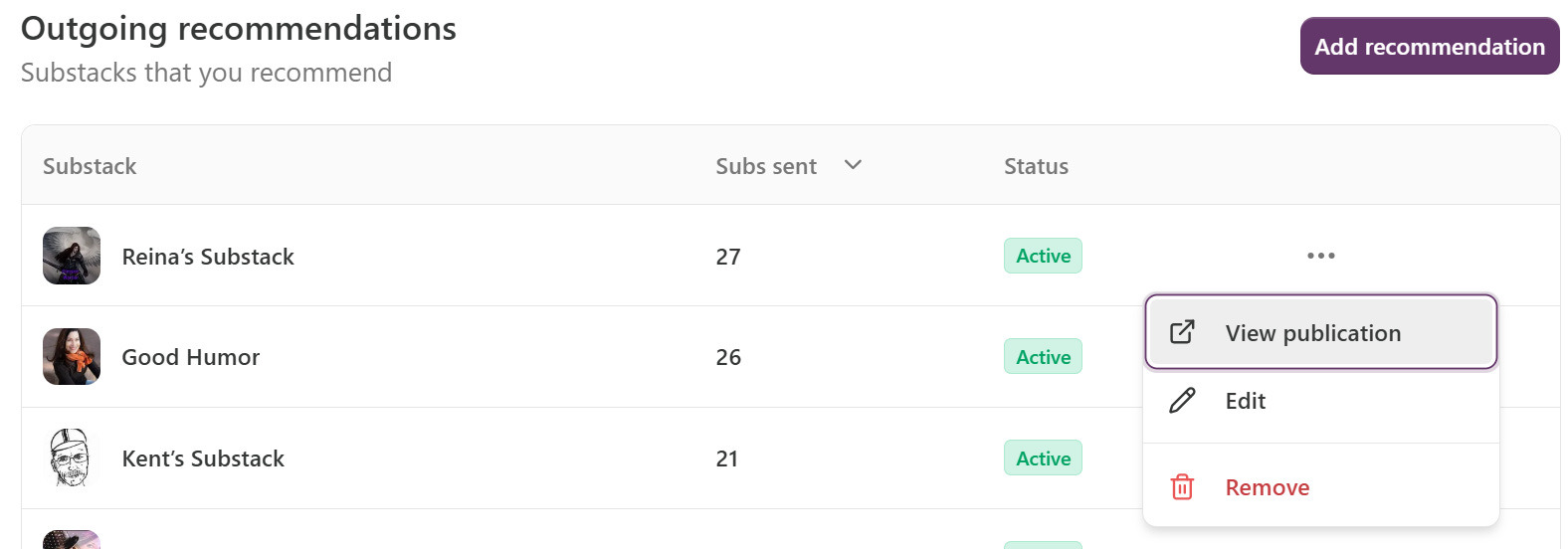
This is where I see what I’ve written, which is shown to new Bren’s Buzz subscribers during the Subscribe flow. Save or use the X to exit the editing popup.
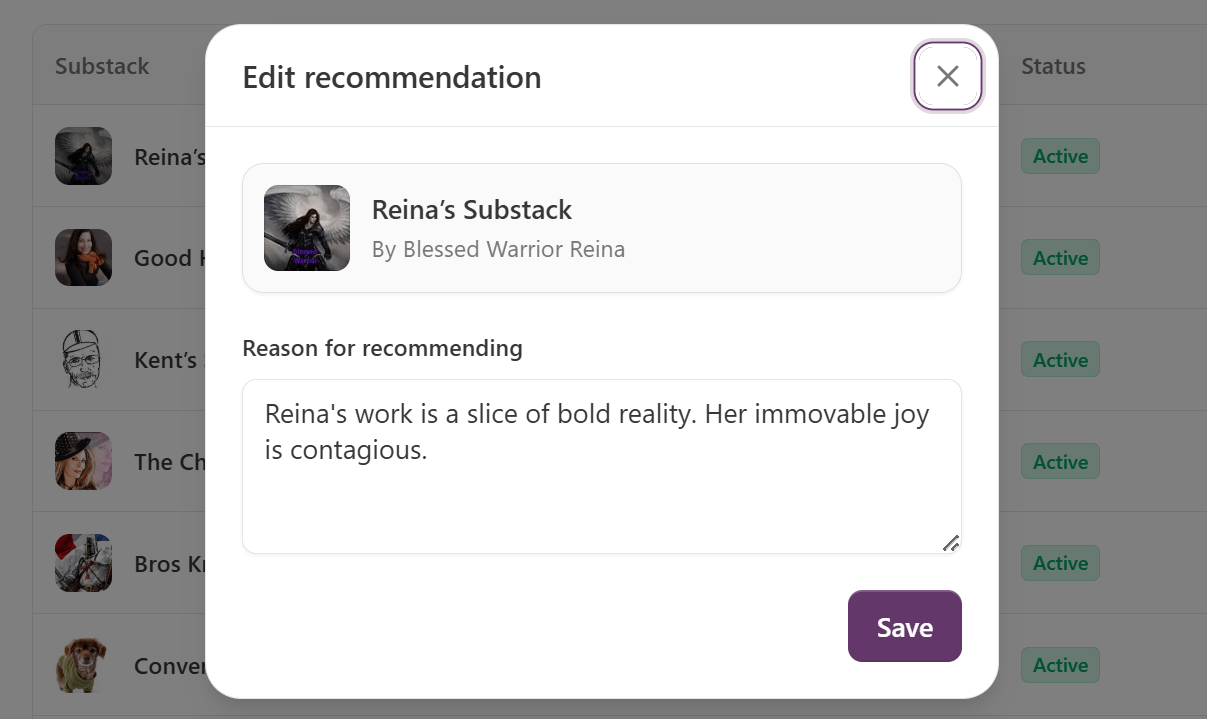
As mentioned earlier, without a blurb, just the ‘Reina’s Substack’ strip shows in your list of recommended stacks during the subscriber flow.
I write about all kinds of stuff, making me sort of the ‘Readers Digest’ of the new age interwebs. Because I cover a variety of topics throughout the year, which I clearly label via tabs on my site and relevant email headers, you’ll get some time back while getting more variety in one publication than in dozens of others. Subscribe with the button above, and share with everyone.
Additionally you’ll see those you recommend (with or without blurbs) rotating on a short list on your website, if you included that in your page setup.
Using the MANAGE link next to “Recommendations” is another shortcut to the Recommendations flow I’ve shown you today.
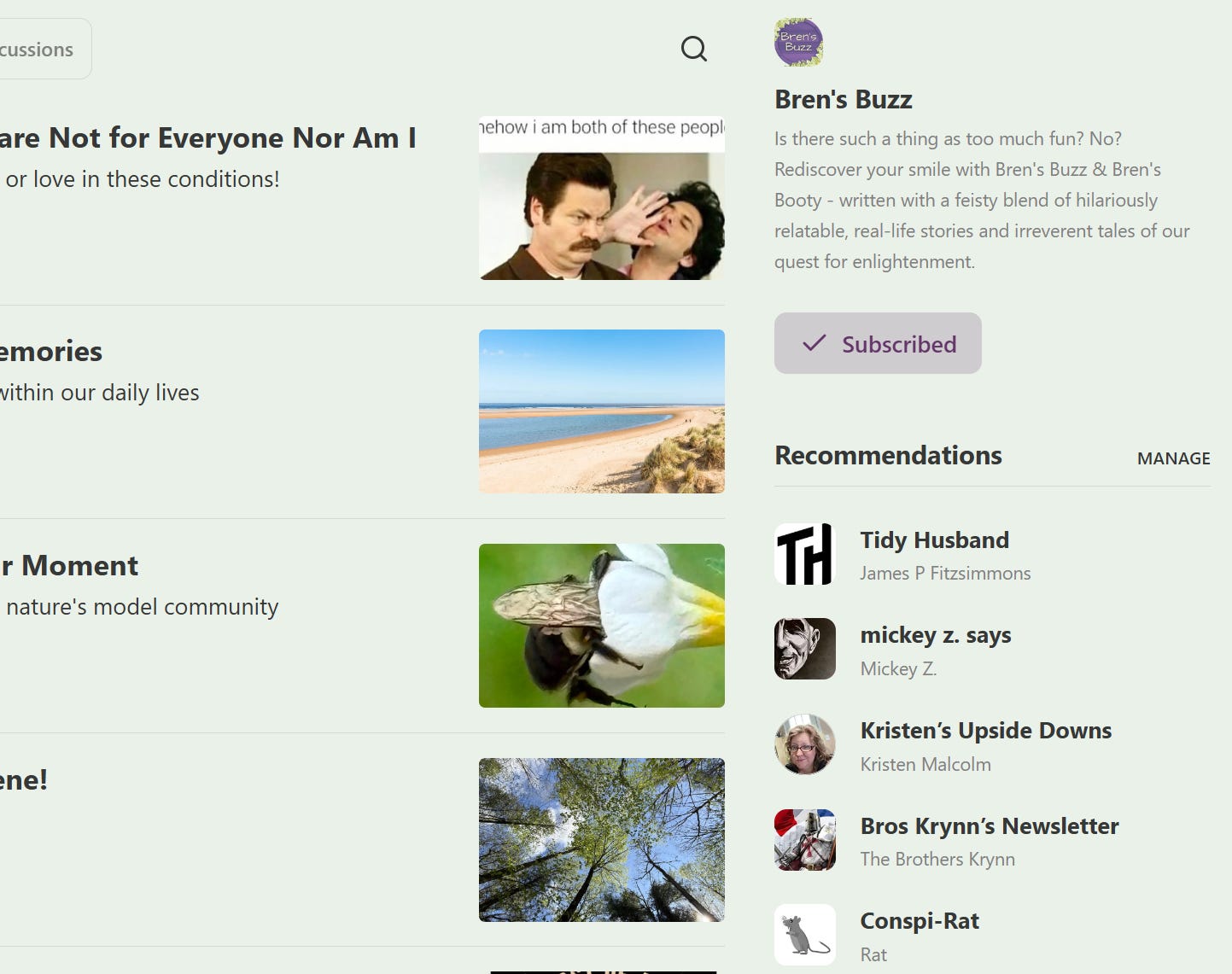
Let me know in the comments if you need more info and I’ll help you out. ☮
Frankly, I'm quite skeptical of recommendations: in my experience, subscribers coming from them are quite unlikely to stay for longer than two weeks.
But if anyone can make them work, all the better for them!